Apr 13, 2010

XP Tutorial
Sep 1, 2009
This tutorial is meant for increasing the performance of Windows XP, either it can be a fresh installation or an older windows.
1.) Following is a registry file containing a few registry modifications, which are completely safe and can increase the performance of Windows. Just download the attached ZIP file, extract it and then run the file:
Tweak Windows XP
Restore Default Settings (Use this file if you want to restore default Windows settings)
2.) Right-click on Desktop and select Properties, Now in the new window goto Appearance tab and click on Effects button. Now in the new opened window uncheck the following options:
a.) Use the following transition effect for menus & tooltips.
b.) Show shadows under menus.

3.) Right-click on My Computer icon on Desktop and select Properties (or press
Now disable all unnecessary options in Visual Effects tab, you can remain following options enabled according to your requirements:
a.) Show window contents while dragging.
b.) Smooth edges of screen fonts.
c.) Use common tasks in folders (If you use the left side pane in My computer)
d.) Use drop shadows on icon labels on the desktop. (to make the desktop icons label transparent.)
e.) Use visual styles on windows and buttons. (If you use XP themes.)

4.) Open Tools -> Folder Options and click on View tab:

Now uncheck following options:
a.) Automatically search for network folders & printers.
b.) Display file size information in folder tips.
c.) Display simple folder view in Explorer's Folders list.
d.) Show encrypted or compressed NTFS files in color.
e.) Show pop-up description for folder and desktop icons.
f.) Use simple file sharing.
Other options don't affect the system performance. You can enable/disable them according to your requirements.
5.) Right-click on My Computer icon on Desktop and select Manage (You can also open it by typing services.msc in RUN and press Enter). Now goto Services & Applications -> Services. Here you can set a few unnecessary services to Manual, which will not start with windows and will decrease the boot time and will increase system performance. Please follow the following tutorial to know about which services can be safely set to MANUAL:
* Alerter
* Computer Browser
* Distributed Link Tracking Client (If you have NTFS partition, then don't disable it)
* Fast User Switching Capability (removes Switch Users option)
* Indexing service
* Internet Connection Firewall/Internet Connection Sharing
* Messenger
* Remote Registry (Always disable it for Security purposes)
* Secondary Logon
* Server
* System Restore (If you don't use System Restore)
* TCP/IP NetBIOS Helper Service
* Uninterruptible Power Supply
* Upload Manager
* Wireless Zero Configuration
6.) Type msconfig in RUN and press Enter. Now goto Startup tab and deselect the unnecessary entries, which you don't want to start automatically with Windows, e.g. you can disable VGA driver utility, Sound Card utility, etc to speed up the startup time and to increase system performance.
7.) Open Sound & Audio Devices in Control Panel (or type mmsys.cpl in RUN), goto Sounds tab and select No Sounds in Sound Scheme section. Or you can remain some of your favorite sounds but set Exit Windows, Start Windows, Windows Logoff, Windows Logon to (None).
8.) For more options/tips-n-tricks, you can use TweakUI, Tuneup Utilities 2006 and gpedit.msc (Windows XP Professional built-in tool).
1.) Following is a registry file containing a few registry modifications, which are completely safe and can increase the performance of Windows. Just download the attached ZIP file, extract it and then run the file:
Tweak Windows XP
Restore Default Settings (Use this file if you want to restore default Windows settings)
2.) Right-click on Desktop and select Properties, Now in the new window goto Appearance tab and click on Effects button. Now in the new opened window uncheck the following options:
a.) Use the following transition effect for menus & tooltips.
b.) Show shadows under menus.

3.) Right-click on My Computer icon on Desktop and select Properties (or press
Now disable all unnecessary options in Visual Effects tab, you can remain following options enabled according to your requirements:
a.) Show window contents while dragging.
b.) Smooth edges of screen fonts.
c.) Use common tasks in folders (If you use the left side pane in My computer)
d.) Use drop shadows on icon labels on the desktop. (to make the desktop icons label transparent.)
e.) Use visual styles on windows and buttons. (If you use XP themes.)

4.) Open Tools -> Folder Options and click on View tab:

Now uncheck following options:
a.) Automatically search for network folders & printers.
b.) Display file size information in folder tips.
c.) Display simple folder view in Explorer's Folders list.
d.) Show encrypted or compressed NTFS files in color.
e.) Show pop-up description for folder and desktop icons.
f.) Use simple file sharing.
Other options don't affect the system performance. You can enable/disable them according to your requirements.
5.) Right-click on My Computer icon on Desktop and select Manage (You can also open it by typing services.msc in RUN and press Enter). Now goto Services & Applications -> Services. Here you can set a few unnecessary services to Manual, which will not start with windows and will decrease the boot time and will increase system performance. Please follow the following tutorial to know about which services can be safely set to MANUAL:
* Alerter
* Computer Browser
* Distributed Link Tracking Client (If you have NTFS partition, then don't disable it)
* Fast User Switching Capability (removes Switch Users option)
* Indexing service
* Internet Connection Firewall/Internet Connection Sharing
* Messenger
* Remote Registry (Always disable it for Security purposes)
* Secondary Logon
* Server
* System Restore (If you don't use System Restore)
* TCP/IP NetBIOS Helper Service
* Uninterruptible Power Supply
* Upload Manager
* Wireless Zero Configuration
6.) Type msconfig in RUN and press Enter. Now goto Startup tab and deselect the unnecessary entries, which you don't want to start automatically with Windows, e.g. you can disable VGA driver utility, Sound Card utility, etc to speed up the startup time and to increase system performance.
7.) Open Sound & Audio Devices in Control Panel (or type mmsys.cpl in RUN), goto Sounds tab and select No Sounds in Sound Scheme section. Or you can remain some of your favorite sounds but set Exit Windows, Start Windows, Windows Logoff, Windows Logon to (None).
8.) For more options/tips-n-tricks, you can use TweakUI, Tuneup Utilities 2006 and gpedit.msc (Windows XP Professional built-in tool).
Apr 23, 2009
money maker is here ..!!!!
you'll be able to produce your money in a big one ...
look at this ..
or
feel the different ..!!!!
you'll be able to produce your money in a big one ...
look at this ..
$6.00 Welcome Survey After Free Registration!


or
Get paid $0.01 for every ad on the Surf Ads page.
$0.01 for every click your referals make!
you can withdraw the money you earn any time you like! there is No Minimum amount required before your first Cashout!
Find out we pay without having to invest your time trying to reach high minimum cashout amounts like other paid-to-click sites. cashouts then increase by only $3 per cashout!
Sign up to NoMinCashout.com today!
feel the different ..!!!!
VIRUUUS ...!!!!
Mar 27, 2009

Virus adalah program buatan manusia yang dapat memperlambat kinerja sistem, merugikan atau bahkan merusak sistem. Program ini mempunyai kemampuan untuk mengembang atau menyebar yang telah diatur di dalam program tersebut.
Virus adalah Kode yang ditempelkan dalam satu program yang menyebabkan pengkopian dirinya disisipkan ke satu program lain atau lebih. Program menginfeksi program-program lain dengan memodifikasi program-program itu. Modifikasi itu termasuk memasukkan kopian program program virus yang kemudian dapat menginfeksi program-program lain. Selain hanya propagasi, salah satu program jahat ini biasanya melakukan fungsi yang tak diinginkan.
Seperti virus biologis, pada virus komputer terdapat kode instruksi yang dapat membuat kopian sempurna seperti dirinya. Ketika komputer yang terinfeksi berhubungan (kontak) dengan perangkat lunak yang belum terinfeksi, kopian virus memasuki program baru. Infeksi dapat menyebar dari komputer satu ke yang lainnya melalui disk yang digunakan pemakai, atau mengirimkan program melaui jaringan. Pada lingkungan jaringan, kemampuan mengakses aplikasi dan layanan-layanan komputer lain merupakan fasilitas sempurna penyebaran virus.
Sebuah virus dapat berisi rutin-rutin tertentu yang diisikan oleh programmer virus. Rutin-rutin ini bisa saja berisi perintah perusakan atau hanya sekedar menampilkan pesan.
Virus Resident adalah Program virus yang menetap di memori.
Siklus hidup virus. Virus mengalami siklus hidup empat fase, yaitu:
1. Fase tidur (dormant phase),
2. Fase propaganda (propagation phase),
3. Fase pemicuan (triggering phase),
4. Fase eksekusi (execution phase).
dan Anti Virus adalah program untuk melacak keberadaan dan mengamankan virus pada media penyimpanan, baik pada disk maupun memory.
saat ini banyak beredar antivirus di internet, diantaranya ...

1. Kaspersky Internet Security 2009
Essential Protection
Protects from viruses, Trojans and worms
Blocks spyware and adware
Scans files in real time (on access) and on demand
Scans email messages (regardless of email client)
Scans Internet traffic (regardless of browser)
Protects instant messengers (ICQ, MSN)
Provides proactive protection from unknown threats
Scans Java and Visual Basic scripts
Extended Protection
Two-way personal firewall
Safe Wi-Fi and VPN connections
Intrusion prevention system
Intelligent application management and control
automatically configured application rules
security rating is assigned to unknown applications
access to the user’s resources and data is restricted for unknown applications
Preventive Protection
Scans operating system and installed applications for vulnerabilities
Analyzes and closes Internet Explorer vulnerabilities
Disables links to malware sites
Detects viruses based on the packers used to compress code
Global threat monitoring (Kaspersky Security Network)
Advanced Protection & Recovery
The program can be installed on infected computers
Self-protection from being disabled or stopped
Restores correct system settings after removing malicious software
Tools for creating a rescue disk
Data & Identity Theft Protection
Disables links to fake (phishing) websites
Blocks all types of keyloggers
Virtual keyboard is provided for safely entering logins and passwords
Prevents the theft of data exchanged via secure connections (HTTPS / SSL)
Blocks unauthorized dial-up connections
Cleans up any traces of user activity (deletes temporary files, cookies etc.)
Content Filtering
Parental control
Improved antispam protection (plugins for Microsoft Outlook, Microsoft Outlook Express, The Bat!, Thunderbird)
Blocks banners on web pages
Usability
Automatic configuration during installation
Wizards for common tasks
Visual reports with charts and diagrams
Alerts provide all the information necessary for informed user decisions
Automatic or interactive mode
Round-the-clock technical support
Automatic database updates
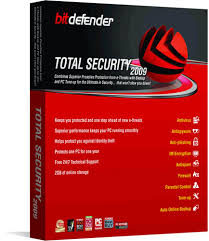
2. BitDefender Total Security 2009
BitDefender Total Security 2009 provides comprehensive proactive protection against all Internet security threats, along with system maintenance and backup, without slowing down your PCs.
Confidently download, share and open files from friends, family, co-workers – and even total strangers!
Improved: Scans all web, e-mail and instant messaging traffic for viruses and spyware, in real-time
Proactively protects against new virus outbreaks using advanced heuristics
Protect your identity: shop, bank, listen, watch privately and securely
Blocks attempted identity theft (phishing)
Improved: Prevents personal information from leaking via e-mail, web or instant messaging
Guard your conversations with top-of-the line encryption
NEWInstant Messaging Encryption
NEWFile Vault securely stores personal information or sensitive files
Backs up files and folders locally
NEWProvides secure on-line storage
Connect securely to any network at home, in the office or away
Automatically modifies firewall protection settings to suit location
Wi-Fi monitor helps prevent unauthorized access to your Wi-Fi network
Protect your family and their computers!
Blocks access to inappropriate websites and e-mail
Schedules and limits kids’ access to Internet and to applications
Play safe, play seamlessly!
Improved: Reduces the system load and avoids requesting user interaction during games
Get fine-tuned performance from your computer !
Uses few system resources
NEWLaptop mode prolongs battery life
Removes unnecessary duplicates of files and registry entries
Irrecoverably erases unwanted files and "traces" of files
Puisi #1
Hayalan
Semua angan kan menyatu
Mendekap hebat di dalam kalbu
Memutus semua yang berpadu
Seakan daku ditelan haru
Sudah lelah mataku berpijak
Menekan mata tuk tertutup
Melambai tangan ke dalam jejak
Semakin lama semakin lelap
Terpotong asaku ditengah jalan
Memikul beban dipundak kanan
Mengapa semua ini kulakukan?
Terlalu keras tulang seakan
Selamanya akan tergenggam
Semuanya akan tersesal
Kini hanya bertudung malam
Lelah senyap didalam hayal
Semua angan kan menyatu
Mendekap hebat di dalam kalbu
Memutus semua yang berpadu
Seakan daku ditelan haru
Sudah lelah mataku berpijak
Menekan mata tuk tertutup
Melambai tangan ke dalam jejak
Semakin lama semakin lelap
Terpotong asaku ditengah jalan
Memikul beban dipundak kanan
Mengapa semua ini kulakukan?
Terlalu keras tulang seakan
Selamanya akan tergenggam
Semuanya akan tersesal
Kini hanya bertudung malam
Lelah senyap didalam hayal
Rayuan buat si 'Dia' ...
1. Tadi Malam Aku Kirim Bidadari Untuk Menjaga Tidurmu. Eh, Dia Buru-Buru Balik. Katanya, 'Ah, Masa Bidadari Disuruh Jaga Bidadari?' --- Hoek!
2. Kalau Kamu Nanya Berapa Kali Kamu Datang Ke Pikiranku, Jujur Aja, Cuma Sekali. Abisnya, Ga Pergi2 Sih! --- Najis Loh!
3. Sempet Bingung Jg, Kok Aku Bisa Senyum Sendiri. Baru Nyadar, Aku Lagi Mikirin Kamu. --- Waks!
4. Kalau Suatu Saat Kamu Hancurkan Hatiku... Akan Kucintai Kamu Dengan Kepingannya Yang Tersisa. --- Hoeeek!
5. Berusaha Melupakanmu, Sama Sulitnya Dengan Mengingat Seseorang Yang Tak Pernah Kukenal. --- Hahaha Nice One!6. Kalau Kamu Ajak Aku Melompat Bareng, Aku Ngga Bakalan Mau. Mending Aku Lari Ke Bawah, Bersiap Menangkapmu. --- Idih Gepeng Ntar!
7. Aku Pernah Jatuhkan Setetes Air Mata Di Selat Sunda. Di Hari Aku Bisa Menemukannya Lagi, Itulah Waktunya Aku Berhenti Mencintaimu. --- Jitak!
8. Ga Usah Janjiin Bintang Dan Bulan Untuk Aku, Cukup Janjiin Kamu Bakal Selalu Bersamaku Di Bawah Cahayanya. --- Najooos..
9. Kalau Kamu Nanya Mana Yg Lebih Penting Buat Aku: Hidupku Atau Hidupmu, Aku Bakal Jawab Hidupku.. Eits, Jangan Marah Dulu, Karena Kamulah Hidupku. --- Gyahahaha Sakit Perut..
10. Pertama Ketemu, Aku Takut Ngomong Sama Kamu. Pertama Ngomong Sama Kamu, Aku Takut Kalau Nanti Suka Sama Kamu. Udah Suka, Aku Makin Takut Kalau Jatuh Cinta. Setelah Sekarang Cinta Sama Kamu, Aku Jadi Bener2 Takut Kehilangan Kamu. Kamu Emang Menakutkan! --- Getok Pake Kursi Neh...
11. Ketika Hidup Memberiku Seratus Alasan Untuk Menangis, Kau Datang Membawa Seribu Alasan Untuk Tersenyum. --- Weeeekkzz
12.Jika Aku Bisa Jadi Bagian Dari Dirimu, Aku Mau Jadi Airmatamu, Yang Tersimpan Di Hatimu, Lahir Dari Matamu, Hidup Di Pipimu, Dan Mati Di Bibirmu --- Maksud Loh?!
13. Orang Bilang Bulan Itu Indah...Tapi Aku Bilang Tidak. Orang Bilang Planet Venus Itu Cantik...Tapi Menurut Aku Tidak. Aku Bilang Bumi Itu Indah Dan Cantik...Karena Ada Kamu. --- Lempar Pake Bedug Mesjid!
2. Kalau Kamu Nanya Berapa Kali Kamu Datang Ke Pikiranku, Jujur Aja, Cuma Sekali. Abisnya, Ga Pergi2 Sih! --- Najis Loh!
3. Sempet Bingung Jg, Kok Aku Bisa Senyum Sendiri. Baru Nyadar, Aku Lagi Mikirin Kamu. --- Waks!
4. Kalau Suatu Saat Kamu Hancurkan Hatiku... Akan Kucintai Kamu Dengan Kepingannya Yang Tersisa. --- Hoeeek!
5. Berusaha Melupakanmu, Sama Sulitnya Dengan Mengingat Seseorang Yang Tak Pernah Kukenal. --- Hahaha Nice One!6. Kalau Kamu Ajak Aku Melompat Bareng, Aku Ngga Bakalan Mau. Mending Aku Lari Ke Bawah, Bersiap Menangkapmu. --- Idih Gepeng Ntar!
7. Aku Pernah Jatuhkan Setetes Air Mata Di Selat Sunda. Di Hari Aku Bisa Menemukannya Lagi, Itulah Waktunya Aku Berhenti Mencintaimu. --- Jitak!
8. Ga Usah Janjiin Bintang Dan Bulan Untuk Aku, Cukup Janjiin Kamu Bakal Selalu Bersamaku Di Bawah Cahayanya. --- Najooos..
9. Kalau Kamu Nanya Mana Yg Lebih Penting Buat Aku: Hidupku Atau Hidupmu, Aku Bakal Jawab Hidupku.. Eits, Jangan Marah Dulu, Karena Kamulah Hidupku. --- Gyahahaha Sakit Perut..
10. Pertama Ketemu, Aku Takut Ngomong Sama Kamu. Pertama Ngomong Sama Kamu, Aku Takut Kalau Nanti Suka Sama Kamu. Udah Suka, Aku Makin Takut Kalau Jatuh Cinta. Setelah Sekarang Cinta Sama Kamu, Aku Jadi Bener2 Takut Kehilangan Kamu. Kamu Emang Menakutkan! --- Getok Pake Kursi Neh...
11. Ketika Hidup Memberiku Seratus Alasan Untuk Menangis, Kau Datang Membawa Seribu Alasan Untuk Tersenyum. --- Weeeekkzz
12.Jika Aku Bisa Jadi Bagian Dari Dirimu, Aku Mau Jadi Airmatamu, Yang Tersimpan Di Hatimu, Lahir Dari Matamu, Hidup Di Pipimu, Dan Mati Di Bibirmu --- Maksud Loh?!
13. Orang Bilang Bulan Itu Indah...Tapi Aku Bilang Tidak. Orang Bilang Planet Venus Itu Cantik...Tapi Menurut Aku Tidak. Aku Bilang Bumi Itu Indah Dan Cantik...Karena Ada Kamu. --- Lempar Pake Bedug Mesjid!